teaching_web_development
Cascading Style Sheets (CSS) Fundamentals
-
Video by Dr. Chuck on CSS Basics Part 1: A beginner-friendly video explaining the fundamentals of CSS.
-
Video by Dr. Chuck on CSS Basics Part 2: A continuation of the CSS basics, covering more advanced topics.
-
Video by Dr. Chuck on CSS Basics Part 3: The third part of the CSS basics series, focusing on practical applications.
-
Video by Dr. Chuck on CSS Specificity Explained: A detailed explanation of CSS specificity and how it affects style application.
Installation/Playground
-
w3schools HTML playground: online HTML editor to practice HTML/CSS.
-
jsfiddle.net: Online editor for HTML, CSS, and JavaScript with live preview.
-
codepen.io: Social development environment for front-end designers and developers.
-
replit.com: Online IDE supporting multiple programming languages, including HTML/CSS/JS.
Introduction to CSS
1.1 What is CSS?
- CSS: Cascading Style Sheets
- Controls presentation and layout
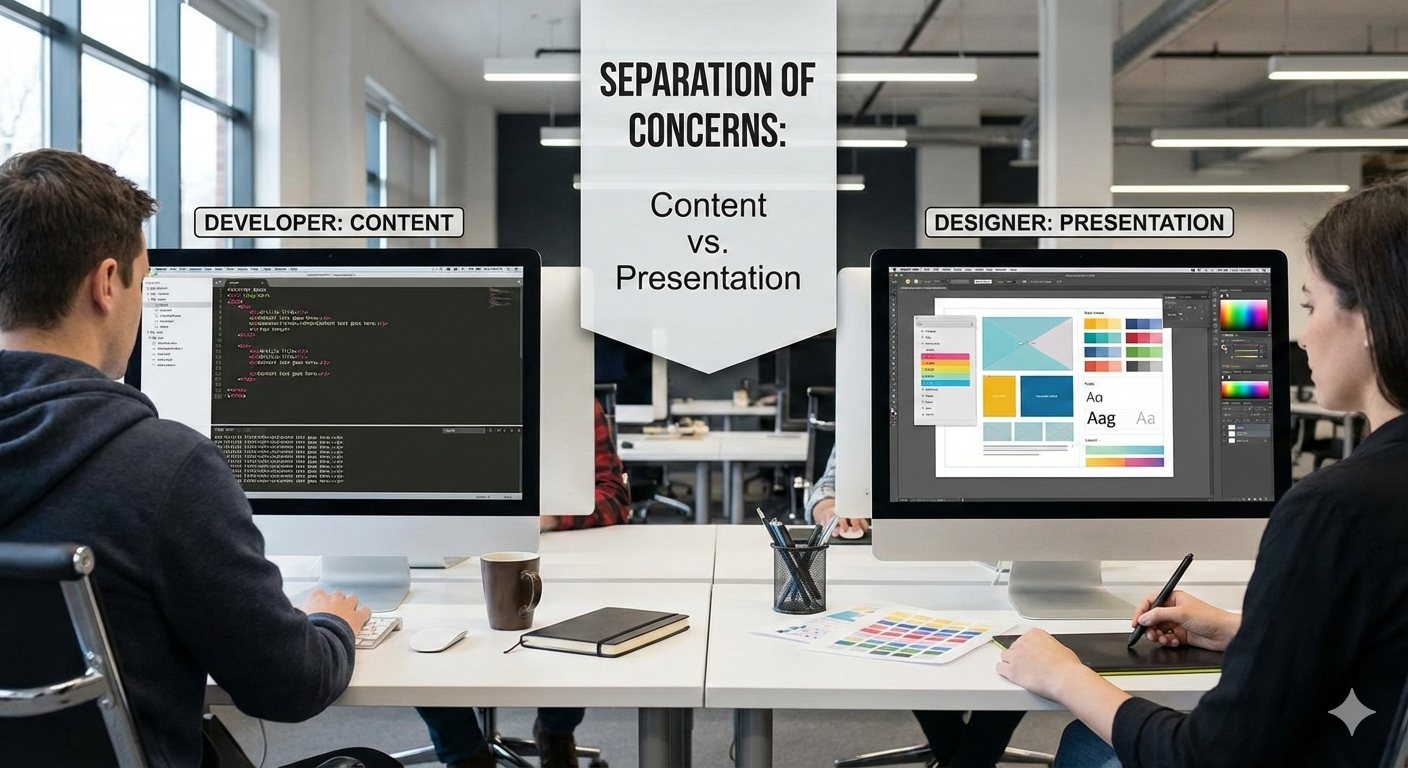
- Concept: Separates content from design
- Concept: User experience enhancement for the user as the Web evolved
1.2 How CSS Works
- Cascading: Multiple style sources (browser, author, user)
- Inheritance: Child elements inherit parent styles
- Specificity: Which rule wins when conflicts occur
1.3 Three Ways to Add CSS
Inline CSS (avoid except for dynamic styles):
<p style="color: blue; font-size: 16px;">Text</p>
Internal CSS:
<head>
    <style>
        p {
            color: blue;
            font-size: 16px;
        }
    </style>
</head>
External CSS (best practice):
<head>
    <link rel="stylesheet" href="css/style.css">
</head>
/* style.css */
p {
    color: blue;
    font-size: 16px;
}
Web developer tools
- Chris Pederick’s Web Developer Extension: A browser extension that adds various web development tools.
- Browser DevTools (Inspect Element, Console, Network, etc.)
Activity
- Disable CSS in your browser using Chris Pederick’s Web Developer Extension and observe how the page layout changes.
-
Try the following (admittedly badly designed) page with and without CSS: CSS Zen Garden
-
Without CSS, the content is still accessible, but the visual presentation is poor.
-
Maybe important for visual impairments?
- Separation of concerns: content vs presentation OR developer vs. designer
CSS Selectors
- Concept: Anatomy of a CSS Rule:
selector {
    property: value;
}
-
For all
selectors, CSS rules apply -
The
propertyis what you want to change -
Think of it as a paintbrush for HTML elements
Basic Selectors
Element Selector:
p {
    color: black;
}

h1 {
    font-size: 32px;
}
Class Selector:
.highlight {
    background-color: yellow;
}

.btn {
    padding: 10px 20px;
    border-radius: 5px;
}
<p class="highlight">Highlighted text</p>
<button class="btn">Click Me</button>
ID Selector:
#header {
    background-color: navy;
}

#main-content {
    padding: 20px;
}
<div id="header">Header Content</div>
<div id="main-content">Main Content</div>
Universal Selector:
* {
    margin: 0;
    padding: 0;
    box-sizing: border-box;
}
CSS cheat sheet
- Leslie Franklin’s CSS Cheat Sheet: A comprehensive cheat sheet covering CSS properties, selectors, and more.
Why cascading?
-
Multiple sources of styles: browser defaults, user styles, author styles
-
Specificity hierarchy: inline > ID > class > element
-
Concept: The more specific the selector, the higher its priority
-
Concept: Later rules override earlier ones if they have the same specificity
Span and Div
<div>: Block-level container for grouping elements<span>: Inline container for grouping text or elements- Use for applying styles or scripts to specific sections of content
<div class="container">
    <h1>Title</h1>
    <p>This is a <span class="highlight">highlighted</span> word.</p>
</div>
-
spand and div are often used together with CSS to style specific parts of a webpage.
-
Concept: span and div have no inherent visual effect; they are designed to be styled with CSS.
-
Concept: this is so because other older elements had specific meanings and visual effects (like
<b>,<i>,<u>, etc.)
Syntax
-
#means ID selector. Find element with that ID. -
.means class selector. Find all elements with that class. -
No prefix means element selector. Find all elements of that type.
-
Explanation of CSS Specificity: A video explaining how CSS specificity works.
-
Example of specificity:
/* Element selector */
p {
    color: black; /* specificity: 1 */
}
/* Class selector */
.highlight {
    color: blue; /* specificity: 10 */
}
/* ID selector */
#main {
    color: red; /* specificity: 100 */
}
🎮🛠️ Exercise: Minimal basic code for CSS practical
-
Try the following in jsfiddle online editor
-
HTML code
<html lang="en">
<head>
  <title> CSS and HTML practice </title>

  <link rel="stylesheet"   href="css/style.css">

  </head>

  <body>
    <header id ="main-header-page">
      <h1 class="title">
        Welcome to HTML!
      </h1>
    </header>

    <main>
        <section class="content">
            <h2> This is a header </h2>
            <p> This is a paragraph </p>
            <a href="https://neelsoumya.github.io/" class="link">My webpage link</a>
        </section>
    </main>


  </body>

</html>
- CSS code
p {
  color:green;
  font-size: 16px;
}

p{
  font-family: Arial, Helvetica;
  font-weight: bold;
  color: whitesmoke;
}

#main-header-page {
  background-color: navy;
}

.content {
   background-color: greenyellow;
}
- Now validate your input using W3 CSS validator
Colours
- W3schools CSS Colors: A reference for CSS color names and values.
- Named colors:
red,blue,green, etc. - Hexadecimal:
#RRGGBBor#RGB - RGB:
rgb(255, 0, 0) - RGBA:
rgba(255, 0, 0, 0.5)(with alpha for transparency) - HSL:
hsl(0, 100%, 50%) - HSLA:
hsla(0, 100%, 50%, 0.5)(with alpha for transparency)
/* Named color */
color: red;
/* Hexadecimal */
color: #FF0000;
/* RGB */
color: rgb(255, 0, 0);
/* RGBA */
color: rgba(255, 0, 0, 0.5);
/* HSL */
color: hsl(0, 100%, 50%);
/* HSLA */
color: hsla(0, 100%, 50%, 0.5);
Fonts
- Google Fonts: A library of free web fonts.
font-family: Specifies the font type.font-size: Specifies the size of the font.font-weight: Specifies the weight (boldness) of the font.font-style: Specifies the style (normal, italic, oblique) of the font.
/* Font family */
font-family: Arial, Helvetica, sans-serif;
font-family: 'Times New Roman', serif;
font-family: 'Courier New', monospace;
/* Font size */
font-size: 16px;
font-size: 1.2em;  /* relative to parent */
font-size: 1.2rem; /* relative to root */
/* Font weight */
font-weight: normal;
font-weight: bold;
font-weight: 700;
/* Font style */
font-style: italic;
font-style: oblique;
/* Shorthand */
font: italic bold 16px/1.5 Arial, sans-serif;
- Example
body {
    font-family: 'Roboto', sans-serif;
}
- Fallback fonts (in case the primary font is unavailable on the browser):
font-family: 'Open Sans', Arial, sans-serif;
Links
/* Link states */
a:link { color: blue; }
a:visited { color: purple; }
a:hover { color: red; }
a:active { color: orange; }
nav tag
- function of the
<nav>tag is to define a section of navigation links in an HTML document.
nav a {
    text-decoration: none;
    padding: 10px 15px;
    color: white;
    background-color: #333;
}
nav a:hover {
    background-color: #555;
}
Units em, rem, %, px
px: Pixels, absolute unit.em: Relative to the font-size of the parent element.rem: Relative to the font-size of the root element (<html>).%: Relative to the parent element’s size.
/* Pixels (most common) */
font-size: 16px;
/* em - relative to parent font-size */
font-size: 1.5em;  /* 1.5 times parent */
/* rem - relative to root (html) font-size */
font-size: 1.5rem;
/* Percentage */
width: 50%;
font-size: 120%;
/* Viewport units */
width: 50vw;  /* 50% of viewport width */
height: 100vh; /* 100% of viewport height */
font-size: 5vmin; /* 5% of smaller dimension */
Motivating CSS: styles without CSS
-
What if we styled a page without CSS?
-
Video by Dr. Chuck on Styling without CSS: A video demonstrating the drawbacks of styling a webpage without CSS.
<!DOCTYPE html>
<html>
<head>
    <title>Styled Page without CSS</title>
</head>
<body>
    <h1><font color="blue" size="7">Welcome to My Page</font></h1>
    <p><font color="green" size="4">This is a paragraph with inline font styling.</font></p>
    <a href="#" style="color: red; font-size: 20px;">This is a styled link</a>
</body>
</html>
- Why is this bad?
- Mixing content and presentation
- Difficult to maintain and update styles
- Limited styling options
- Deprecated tags and attributes
- Better approach: Use CSS for styling
<!DOCTYPE html>
<html>
<head>
    <title>Styled Page with CSS</title>
    <link rel="stylesheet" href="styles.css">
</head>
<body>
    <h1 class="title">Welcome to My Page</h1>
    <p class="paragraph">This is a paragraph with CSS styling.</p>
    <a href="#" class="styled-link">This is a styled link</a>
</body>
</html>
/* styles.css */
.title {
    color: blue;
    font-size: 3em;
}
.paragraph {
    color: green;
    font-size: 1.5em;
}
.styled-link {
    color: red;
    font-size: 1.25em;
}
🎮💡🛠️ Practicals
-
Use the following tools to practice CSS:
-
🎮🛠️ CSS Diner: An interactive game to learn CSS selectors.
-
🎮💡 CSS Battle: A platform to practice CSS by replicating target designs with minimal code.
-
Use the playgrounds mentioned earlier (JSFiddle, CodePen, Replit) to experiment with CSS code snippets (see above).
-
w3schools HTML playground: online HTML editor to practice HTML/CSS.
-
jsfiddle.net: Online editor for HTML, CSS, and JavaScript with live preview.
-
codepen.io: Social development environment for front-end designers and developers.
-
replit.com: Online IDE supporting multiple programming languages, including HTML/CSS/JS.
-
Code to practice:
-
Let us try this without CSS first:
<!DOCTYPE html>
<html lang="en">
<head>
<meta charset="UTF-8">
<meta name="viewport" content="width=device-width, initial-scale=1.0">
<title>CSS Practice</title>
/* No CSS yet */
<link rel="stylesheet" href="styles.css">
</head>
<body>
<header id="main-header">
<h1 class="title">Welcome to CSS Practice</h1>
</header>
<main>
<section class="content">
<h2>Section Title</h2>
<p>This is a paragraph to practice CSS styling.</p>
<a href="#" class="link">This is a link</a>
</section>
</main>
<footer id="main-footer">
<p>© 2024 CSS Practice</p>
</footer>
</body>
</html>
- Explanation of the code above:
- The HTML structure includes a header, main content section, and footer.
- The CSS styles the body, header, title, content section, links, and footer using various selectors.
Here is a detailed breakdown of this HTML practical:
Document Type and Language
<html lang="en">
The lang="en" attribute specifies English as the document’s language. This helps screen readers pronounce content correctly and assists search engines with language-specific indexing.
Head Section Elements
Character Encoding
<meta charset="UTF-8">
UTF-8 encoding supports all international characters and symbols. Without this, special characters might display as garbled text. Always include this as the first element in <head>.
Viewport Meta Tag
<meta name="viewport" content="width=device-width, initial-scale=1.0">
This is crucial for responsive design. It tells mobile browsers to set the page width to match the device’s screen width rather than defaulting to a desktop viewport (typically 980px). The initial-scale=1.0 sets the initial zoom level to 100%.
External Stylesheet
<link rel="stylesheet" href="styles.css">
This links an external CSS file. The rel="stylesheet" attribute defines the relationship between the HTML and the linked file. External stylesheets are preferred because they separate content from presentation and allow multiple pages to share styles.
Body Content Structure
Header with ID
<header id="main-header">
The semantic <header> element indicates introductory content. The id="main-header" provides a unique identifier, useful for:
- CSS targeting (e.g.,
#main-header { ... }) - JavaScript manipulation
- In-page navigation with anchor links
- Remember: IDs must be unique per page
Class Attribute
<h1 class="title">Welcome to CSS Practice</h1>
The class="title" allows CSS styling via .title { ... }.
Concept: Unlike IDs, classes can be reused multiple times on a page, making them ideal for styling patterns that repeat.
Main Content Area
<main>
The <main> element represents the dominant content of the page. There should be only one <main> per page, and it shouldn’t be nested inside <article>, <aside>, <footer>, <header>, or <nav> elements.
Section Element
<section class="content">
The <section> element groups related content thematically. It typically includes a heading. The class="content" allows for styling and could be reused if you have multiple content sections.
Anchor Tag
<a href="#" class="link">This is a link</a>
The href="#" creates a placeholder link that goes nowhere (useful in prototypes). In production, this would contain an actual URL. The class="link" allows custom link styling beyond default browser styles.
Footer with Copyright
<footer id="main-footer">
<p>© 2026 CSS Practice</p>
</footer>
The <footer> element contains concluding information. The © is an HTML entity that renders as ©. Using entities ensures special characters display correctly across all browsers.
Key Points
Semantic HTML: This code uses meaningful tags (<header>, <main>, <section>, <footer>) instead of generic <div> elements. This improves accessibility, SEO, and code readability.
IDs vs Classes: IDs (#) are unique identifiers for styling or JavaScript; classes (.) are reusable styling hooks. Use IDs sparingly and classes frequently.
Separation of Concerns: HTML handles structure, CSS (in the external file) handles presentation. This makes maintenance easier and improves performance through caching.
Accessibility Foundation: Proper semantic markup and language attributes create a foundation for screen readers and assistive technologies.
CSS Practice Exercises
- Now let us add CSS to style the above HTML. Create a file named
styles.cssand add the following styles:
/* styles.css */
/* Basic Element Selector */
body {
    font-family: Arial, sans-serif;
    margin: 0;
    padding: 0;
    background-color: #f4f4f4;
}

/* ID Selector */
header#main-header {
    background-color: #333;
    color: white;
    padding: 10px 0;
    text-align: center;
}

/* Class Selector */
h1.title {
    font-size: 2.5em;
}

section.content {
    padding: 20px;
}

/* Link Styling */
a.link {
    color: blue;
    text-decoration: none;
}
/* Link Hover Effect */
a.link:hover {
    text-decoration: underline;
    background-color: gray;
}
/* Footer Styling */
footer#main-footer {
    background-color: #333;
    color: white;
    text-align: center;
    padding: 10px 0;
    position: fixed;
    width: 100%;
    bottom: 0;
}
- An explanation of the CSS code above:
- The
bodyselector styles the entire page with a font, margin, padding, and background color. - The
header#main-headerselector styles the header with a background color, text color, padding, and center alignment. - The
h1.titleselector increases the font size of the main title. - The
section.contentselector adds padding to the content section. - The
a.linkselector styles links with color and removes underlines. - The
a.link:hoverselector adds an underline on hover for better interactivity. - The
footer#main-footerselector styles the footer similarly to the header and fixes it to the bottom of the viewport.
- The
CSS Fundamentals Overview
This stylesheet demonstrates core CSS concepts: selectors, the box model, typography, pseudo-classes, and positioning.
1. Basic Element Selector
body {
    font-family: Arial, sans-serif;
    margin: 0;
    padding: 0;
    background-color: #f4f4f4;
}
What it does: Targets every <body> element (there is only one per page).
Key Properties Explained:
-
font-family: Arial, sans-serif;— Sets the default font for the entire page.Arialis tried first; if unavailable, the browser uses its defaultsans-seriffont. This is called a “font stack.” -
margin: 0; padding: 0;— Removes default browser spacing around the body. Browsers add their own margins/padding, so this “CSS reset” technique gives you a clean starting point. -
background-color: #f4f4f4;— Sets a light gray background. The#indicates a hexadecimal color code (RGB values in hex format).
Teaching Point: Element selectors have low specificity and apply broadly. Properties set here cascade down to child elements unless overridden.
2. ID Selector
header#main-header {
    background-color: #333;
    color: white;
    padding: 10px 0;
    text-align: center;
}
Selector Syntax: header#main-header combines an element selector with an ID selector. This targets a <header> element that has id="main-header".
Note for Students: You could write just #main-header since IDs are unique, but specifying header#main-header makes the code more readable and slightly increases specificity.
Properties Explained:
-
background-color: #333;— Dark gray (almost black) background.#333is shorthand for#333333. -
color: white;— Sets text color to white. You can use color names, hex codes, RGB, or HSL values. -
padding: 10px 0;— Adds 10 pixels of space inside the element on top and bottom, 0 on left and right. Format istop/bottom left/right. -
text-align: center;— Centers all inline content (text, inline elements) horizontally.
Teaching Point: IDs have high specificity, making them powerful but potentially problematic if overused. Better to use classes for styling.
3. Class Selector
h1.title {
    font-size: 2.5em;
}
Selector Syntax: h1.title targets <h1> elements with class="title". Like the ID example, this is more specific than just .title.
Property Explained:
font-size: 2.5em;— Sets font size to 2.5 times the inherited font size.emunits are relative to the parent element’s font size. If the body font is 16px (browser default), this heading becomes 40px (16 × 2.5).
Teaching Point: Relative units (em, rem, %) are better for responsive design than fixed units (px). rem units are relative to the root (<html>) element, while em units compound with nesting.
-
Exercise: Move the code block to above the ID selector and see how specificity affects the applied styles! What do you think will happen?
-
Question: Why does the class selector win over the ID selector?
-
Answer:
Great question! Now let me explain what’s actually happening with this cleaner version of your CSS.
The Key Insight: They’re Targeting DIFFERENT Elements!
The class selector does NOT “win over” the ID selector. They’re not competing at all because they target different elements!
Your HTML Structure:
<header id="main-header">
  <h1 class="title">Welcome to HTML!</h1>
</header>
What Each Selector Targets:
header#main-header→ Targets the<header>elementh1.title→ Targets the<h1>element (which is INSIDE the header)
What’s Being Applied Where
The <header> element gets:
header#main-header {
  background-color: #333333;  /* ← Applied to header */
  color: red;                 /* ← Applied to header */
  padding: 10px 0;            /* ← Applied to header */
  text-align: center;         /* ← Applied to header */
}
The <h1> element gets:
h1.title {
  font-size: 1em;    /* ← Applied to h1 */
  color: green;      /* ← Applied to h1 */
}
Why Is the <h1> Green and Not Red?
This is about inheritance vs. direct styling:
Step-by-step what happens:
- The
<header>getscolor: redapplied to it - The
<h1>would inherit the red color from its parent header - BUT the
h1.titlerule directly targets the<h1>withcolor: green - Direct styling always beats inherited styling
┌─────────────────────────────────┐
│ header#main-header              │
│ color: red (applied directly)   │
│                                 │
│   ┌─────────────────────────┐  │
│   │ h1.title                │  │
│   │ color: green            │  │ ← Direct style WINS
│   │ (applied directly)      │  │   over inherited red
│   └─────────────────────────┘  │
└─────────────────────────────────┘
This Is NOT About Specificity!
Let me be very clear:
❌ Wrong Understanding:
“The class selector (.title) beats the ID selector (#main-header)”
✓ Correct Understanding:
“The h1 has its own direct style that overrides what it would inherit from its parent”
Specificity Only Matters When Selectors Target the SAME Element
Specificity would matter in this scenario:
/* Both target the SAME <h1> element */
h1.title {
  color: green;        /* Specificity: 0,0,1,1 */
}

header#main-header h1 {
  color: blue;         /* Specificity: 0,1,0,2 - WINS! */
}

/* Result: h1 would be BLUE (higher specificity) */
In this case, the second rule wins because:
- Both target the same
<h1>element 0,1,0,2(1 ID + 1 element + 1 element) beats0,0,1,1(1 class + 1 element)
The Cascade Priority Rules
When multiple styles could apply, CSS uses this order:
- Is there a direct style on the element? → Use it
- Is there an inherited style from a parent? → Use it if no direct style
- Is there a browser default? → Use it if nothing else applies
In your case:
h1.title { color: green }is a direct style on the<h1>header#main-header { color: red }would be inherited by the<h1>- Direct wins over inherited, always!
A Visual Example
What you’re seeing in the browser:
┌──────────────────────────────────────┐
│  HEADER (dark background, red text)  │ ← header#main-header styles
│                                      │
│  Welcome to HTML! (green, small)     │ ← h1.title styles (direct)
│                                      │
└──────────────────────────────────────┘
If you removed the h1.title rule, THEN the h1 would inherit red:
body {
  font-family: Arial, sans-serif;
  margin: 0;
  padding: 0;
  background-color: #f4f4f4;
}

header#main-header{
  background-color: #333333;
  color: red;
  padding: 10px 0;
  text-align: center;
}

/* No h1.title rule anymore */
Now the h1 would be red because it would inherit from the header.
To Summarize
| What You Might Think | What’s Actually Happening |
|---|---|
| “Class beats ID” | No! They target different elements |
| “Lower specificity wins” | No! Direct styling beats inheritance |
| “There’s a conflict” | No! Each element gets its own styles |
The real rule: When an element has a direct style AND would inherit a style for the same property, the direct style always wins, regardless of the specificity of the parent’s rule.
Try This Experiment
Remove the color: green from h1.title:
h1.title {
  font-size: 1em;
  /* color: green  ← Comment this out */
}
What happens? The h1 will now be red because it inherits from header#main-header.
Then add it back:
h1.title {
  font-size: 1em;
  color: green;  /* ← Uncomment */
}
What happens? The h1 is green again because the direct style overrides the inherited red.
Concept Recap
- Concept: The key is understanding that inheritance (getting styles from parents) is different from specificity (which rule wins when multiple rules target the same element directly)!
Specificity Concept Summary
Specificity is CSS’s way of deciding which rule wins when multiple rules target the exact same element and set the same property.
Think of it as a scoring system where each type of selector gets points, and the rule with the highest score wins.
The Specificity Scoring System
Specificity is calculated as a four-part number: a,b,c,d
| Position | What It Counts | Points | Example |
|---|---|---|---|
| a | Inline styles | 1,0,0,0 | <h1 style="color: red;"> |
| b | IDs | 0,1,0,0 | #main-header |
| c | Classes, attributes, pseudo-classes | 0,0,1,0 | .title, [type="text"], :hover |
| d | Elements, pseudo-elements | 0,0,0,1 | h1, div, ::before |
Higher numbers in earlier positions always win, like reading a number from left to right.
Breaking Down the Example
Let us analyze both selectors step-by-step:
Selector 1: h1.title
h1.title {
  color: green;
}
What’s in this selector?
h1→ 1 element.title→ 1 class
Specificity calculation:
- Inline styles: 0 (none)
- IDs: 0 (none)
- Classes: 1 (
.title) - Elements: 1 (
h1)
Total: 0,0,1,1
Selector 2: header#main-header h1
header#main-header h1 {
  color: blue;
}
What’s in this selector?
header→ 1 element#main-header→ 1 IDh1→ 1 element
Specificity calculation:
- Inline styles: 0 (none)
- IDs: 1 (
#main-header) - Classes: 0 (none)
- Elements: 2 (
header+h1)
Total: 0,1,0,2
Why Does 0,1,0,2 Beat 0,0,1,1?
Compare the numbers position by position, from left to right:
    a  b  c  d
    ↓  ↓  ↓  ↓
1:  0, 0, 1, 1   (h1.title)
2:  0, 1, 0, 2   (header#main-header h1)
    ↑  ↑
    │  │
    │  └─ Position b: 1 > 0 — Selector 2 WINS!
    │
    └─ Position a: 0 = 0 (tie, move to next position)
The comparison stops at position b because we found a difference:
- Selector 2 has 1 ID (position b = 1)
- Selector 1 has 0 IDs (position b = 0)
- Since 1 > 0, selector 2 wins!
The remaining positions (c and d) don’t even matter once we find a difference in an earlier position.
Why Position Matters So Much
Think of specificity like money in different currencies:
Position a (Inline) = $1,000,000
Position b (IDs)    = $1,000
Position c (Classes) = $1
Position d (Elements) = $0.01
One ID ($1,000) is worth more than 1,000 classes ($1 each)!
Example:
/* 11 classes = 0,0,11,0 */
.a.b.c.d.e.f.g.h.i.j.k {
  color: red;
}

/* 1 ID beats all those classes! = 0,1,0,0 */
#main-header {
  color: blue;  /* ← WINS! */
}
Even though the first rule has 11 classes, the second rule wins because 1 ID beats any number of classes.
Visual Representation of Your Example
The HTML:
<header id="main-header">
  <h1 class="title">Welcome to HTML!</h1>
</header>
The CSS:
/* Selector 1: Specificity 0,0,1,1 */
h1.title {
  color: green;
}

/* Selector 2: Specificity 0,1,0,2 */
header#main-header h1 {
  color: blue;
}
What CSS Does:
- Finds the target: Both selectors match the
<h1>element - Both set the same property:
color - Compares specificity:
h1.title= 0,0,1,1header#main-header h1= 0,1,0,2- 0,1,0,2 > 0,0,1,1 (because of the ID)
- Applies the winner:
color: blue
Result: The <h1> text is blue, not green!
More Examples to Solidify Understanding
Example 1: Elements vs. Classes
/* Specificity: 0,0,0,3 (3 elements) */
header main h1 {
  color: red;
}

/* Specificity: 0,0,1,0 (1 class) - WINS! */
.title {
  color: blue;
}
Winner: .title (blue) — 1 class beats any number of elements
Example 2: Classes vs. IDs
/* Specificity: 0,0,5,0 (5 classes) */
.a.b.c.d.e {
  color: red;
}

/* Specificity: 0,1,0,0 (1 ID) - WINS! */
#main-header {
  color: blue;
}
Winner: #main-header (blue) — 1 ID beats any number of classes
Example 3: Complex Combination
/* Specificity: 0,0,1,1 (1 class + 1 element) */
h1.title {
  color: green;
}

/* Specificity: 0,0,2,1 (2 classes + 1 element) - WINS! */
h1.title.main {
  color: blue;
}

/* Specificity: 0,1,0,0 (1 ID) - WINS OVER ALL! */
#heading {
  color: red;
}
Winner: #heading (red) — The ID beats everything else
What If Specificity Is Equal?
When two rules have exactly the same specificity, the last one in the CSS file wins (this is the “cascade” part of CSS):
/* Both have specificity: 0,0,1,0 */

.title {
  color: green;  /* Defined first */
}

.title {
  color: blue;   /* Defined last - WINS! */
}
Result: Blue text (last rule wins when specificity is tied)
Important Edge Cases
Descendant Selectors Count Each Part
/* This is NOT specificity 0,0,1,1 */
/* It's 0,1,0,2 because you count EVERY part */
header#main-header h1 {
  color: blue;
}
header= 1 element#main-header= 1 IDh1= 1 element- Total: 0,1,0,2
The Universal Selector * Has Zero Specificity
/* Specificity: 0,0,0,0 */
* {
  color: red;
}

/* Specificity: 0,0,0,1 - WINS! */
p {
  color: blue;
}
Combinators Don’t Add Specificity
/* The >, +, ~, and space combinators add ZERO specificity */

/* Specificity: 0,0,0,2 (just 2 elements) */
header > h1 {
  color: blue;
}
The !important Exception
There’s one thing that overrides specificity: !important
/* Specificity: 0,0,1,1 */
h1.title {
  color: green !important;  /* ← WINS despite lower specificity! */
}

/* Specificity: 0,1,0,2 (higher!) */
header#main-header h1 {
  color: blue;
}
Result: Green text (because of !important)
⚠️ Warning: Avoid using !important unless absolutely necessary. It makes CSS very hard to maintain because it breaks the normal specificity rules.
Practical Tips for Students
1. Keep specificity low when possible
/* Good: Low specificity, easy to override */
.title {
  color: blue;
}

/* Bad: High specificity, hard to override */
body header#main-header div.container h1.title {
  color: blue;
}
2. Use classes more than IDs for styling
- IDs have very high specificity
- Classes are more flexible and reusable
3. Avoid inline styles
<!-- Bad: Highest specificity, hard to override -->
<h1 style="color: red;">Title</h1>

<!-- Good: Use classes instead -->
<h1 class="title">Title</h1>
4. Use browser DevTools to see specificity
Open Chrome/Firefox DevTools (F12) → Inspect element → See which rules are being applied and which are crossed out due to lower specificity
Summary
Specificity is calculated as: (inline, IDs, classes, elements)
Your example:
h1.title= 0,0,1,1 (1 class, 1 element)header#main-header h1= 0,1,0,2 (1 ID, 2 elements)
Winner: header#main-header h1 because the ID in position b makes it more specific than any combination of classes and elements.
The golden rule: Compare specificity left to right. The first position with a higher number wins, and all other positions become irrelevant.
4. Class Selector
section.content {
    padding: 20px;
}
Property Explained:
padding: 20px;— Adds 20 pixels of space inside the element on all four sides. This is shorthand forpadding: 20px 20px 20px 20px;(top, right, bottom, left).
Box Model Connection: Padding creates space between content and border. The order is: content → padding → border → margin (moving outward).
5. Link Styling (Default State)
a.link {
    color: blue;
    text-decoration: none;
}
Properties Explained:
-
color: blue;— Changes link text color from the browser default (usually blue, but varies). -
text-decoration: none;— Removes the default underline from links. This is common in modern web design.
Teaching Point: Links have several states (pseudo-classes) that can be styled independently: :link, :visited, :hover, :active, :focus.
6. Pseudo-class Selector
a.link:hover {
    text-decoration: underline;
}
Selector Syntax: The :hover pseudo-class targets elements when the user’s cursor is over them.
What Happens: When users hover over links with class="link", the underline reappears, providing visual feedback that the element is interactive.
Teaching Point: Pseudo-classes select elements based on their state, not their position in the HTML. Common pseudo-classes include :hover, :focus, :active, :first-child, :nth-child(), and :not().
Accessibility Note: Hover effects don’t work on touchscreens. For accessibility, ensure interactive elements are still usable without hover states.
7. Footer with Fixed Positioning
footer#main-footer {
    background-color: #333;
    color: white;
    text-align: center;
    padding: 10px 0;
    position: fixed;
    width: 100%;
    bottom: 0;
}
New Properties:
-
position: fixed;— Removes the element from normal document flow and positions it relative to the viewport (browser window). It stays in place even when the page scrolls. -
width: 100%;— Makes the footer span the full width of the viewport. -
bottom: 0;— Anchors the footer to the bottom of the viewport. You could also usetop,left, orrightwith fixed positioning.
Important Teaching Point: Fixed positioning has consequences:
- The element no longer takes up space in the document flow
- Other content can scroll beneath it
- On short pages, the footer might overlap content
- You may need to add
padding-bottomto the<body>or<main>equal to the footer’s height to prevent content from being hidden
Common Student Mistake: Forgetting that fixed elements need explicit dimensions or positioning values. Without width: 100%, this footer might not span the full width.
CSS Specificity Summary
Understanding which styles “win” when multiple rules target the same element:
- Inline styles (in HTML
style=""attribute): 1,0,0,0 - IDs: 0,1,0,0
- Classes, attributes, pseudo-classes: 0,0,1,0
- Elements, pseudo-elements: 0,0,0,1
Example from this file:
header#main-headerhas specificity 0,1,0,1 (1 ID + 1 element).contenthas specificity 0,0,1,0 (1 class)bodyhas specificity 0,0,0,1 (1 element)
Higher specificity wins. If specificity is equal, the last rule in the CSS file wins (the “cascade”).
Suggested Practice Exercises
Modify this CSS to:
- Change the color scheme — Pick a new palette and update all colors
- Add a box shadow to
.contentfor depth - Change positioning — Make the footer
staticorrelativeinstead offixed - Add responsive design — Use
@mediaqueries to change font sizes on smaller screens - Experiment with specificity — Add a rule like
section { padding: 50px; }and observe why it doesn’t overridesection.content - Style the paragraph — Add a selector for
section.content pto practice descendant selectors - Add transition effects — Make the link hover effect smooth with
transition: text-decoration 0.3s;
Common Pitfalls to Highlight
- Fixed positioning overlaps: Content can hide under the fixed footer
- Specificity wars: Over-relying on IDs makes styles hard to override
- Browser defaults: Different browsers have different default styles (always use a CSS reset or normalize.css in real projects)
- Color contrast: Ensure sufficient contrast between text and background for accessibility (use tools like WebAIM’s contrast checker)
For the corresponding styles.css file, practice:
- Selecting by element, class, and ID
- Box model properties (margin, padding, border)
- Typography styling (font-family, size, weight, color)
- Layout techniques (flexbox for header/footer, CSS Grid for main content)
- Pseudo-classes (
:hover,:activeon the link) - Responsive design with media queries
Other advanced CSS Concepts
2.2 Combinators
Descendant Selector (space):
/* All p elements inside div */
div p {
    color: blue;
}
Child Selector (>):
/* Only direct children */
div > p {
    font-weight: bold;
}
Adjacent Sibling (+):
/* p immediately after h2 */
h2 + p {
    margin-top: 0;
}
General Sibling (~):
/* All p elements after h2 */
h2 ~ p {
    color: gray;
}
-
Explanations and examples of how each combinator works.
-
A descendant selector uses a space between two selectors to target elements that are inside (nested within) other elements, at any level of depth.
/* General pattern */
ancestor descendant {
    property: value;
}
The space means: “Find all descendant elements that are somewhere inside an ancestor element.”
Example Explained
/* All p elements inside div */
div p {
    color: blue;
}
What This Means:
- Find all
<p>(paragraph) elements - That are anywhere inside a
<div>element - At any nesting level (child, grandchild, great-grandchild, etc.)
- Set their text color to blue
HTML Examples That Match
Example 1: Direct Child
<div>
    <p>This paragraph is blue!</p>  ← Matches! (direct child)
</div>
Example 2: Nested Deeper (Grandchild)
<div>
    <section>
        <p>This paragraph is also blue!</p>  ← Matches! (grandchild)
    </section>
</div>
Example 3: Multiple Levels Deep
<div>
    <article>
        <section>
            <aside>
                <p>Still blue!</p>  ← Matches! (great-great-grandchild)
            </aside>
        </section>
    </article>
</div>
Example 4: Multiple Paragraphs
<div>
    <p>Blue paragraph 1</p>  ← Matches!
    <p>Blue paragraph 2</p>  ← Matches!
    <section>
        <p>Blue paragraph 3</p>  ← Matches!
    </section>
</div>
HTML Examples That DON’T Match
Example 1: Outside the div
<p>This is NOT blue</p>  ← Doesn't match (not inside a div)

<div>
    <p>This IS blue</p>  ← Matches!
</div>

<p>This is NOT blue either</p>  ← Doesn't match
Example 2: Different container
<section>
    <p>This is NOT blue</p>  ← Doesn't match (inside section, not div)
</section>

<div>
    <p>This IS blue</p>  ← Matches!
</div>
Complete Working Example
Here is a full HTML/CSS demonstration:
<!DOCTYPE html>
<html lang="en">
<head>
    <meta charset="UTF-8">
    <title>Descendant Selector Demo</title>
    <style>
        /* All p elements inside div */
        div p {
            color: blue;
            font-weight: bold;
        }
    </style>
</head>
<body>
    <h1>Descendant Selector Example</h1>

    <!-- This paragraph is NOT inside a div -->
    <p>I am BLACK text (default colour)</p>

    <!-- These paragraphs ARE inside a div -->
    <div>
        <p>I am BLUE and BOLD (direct child of div)</p>

        <section>
            <p>I am also BLUE and BOLD (grandchild of div)</p>
        </section>

        <article>
            <aside>
                <p>Me too! BLUE and BOLD (great-grandchild of div)</p>
            </aside>
        </article>
    </div>

    <!-- This paragraph is also NOT inside a div -->
    <p>I am BLACK text again</p>

    <!-- Another div with paragraphs -->
    <div>
        <p>I am BLUE and BOLD</p>
        <p>I am BLUE and BOLD</p>
    </div>
</body>
</html>
More Complex Descendant Selector Examples
Example 1: Three-Level Descendant Selector
/* p elements inside section elements inside article elements */
article section p {
    color: green;
}
Matching HTML:
<article>
    <section>
        <p>I am GREEN!</p>  ← Matches!
    </section>
</article>

<article>
    <p>I am NOT green</p>  ← Doesn't match (not inside a section)
</article>

<section>
    <p>I am NOT green</p>  ← Doesn't match (not inside an article)
</section>
Example 2: Combining Classes with Descendant Selectors
/* p elements inside elements with class "content" */
.content p {
    color: purple;
    line-height: 1.6;
}
Matching HTML:
<div class="content">
    <p>I am PURPLE!</p>  ← Matches!
    <section>
        <p>I am also PURPLE!</p>  ← Matches!
    </section>
</div>

<div class="sidebar">
    <p>I am NOT purple</p>  ← Doesn't match (not in .content)
</div>

<section class="content">
    <p>I am PURPLE!</p>  ← Matches! (class works on any element)
</section>
Example 3: IDs with Descendant Selectors
/* Links inside the element with id="main-header" */
#main-header a {
    color: white;
    text-decoration: none;
}
Matching HTML:
<header id="main-header">
    <nav>
        <a href="#">Home</a>  ← WHITE, no underline
        <a href="#">About</a>  ← WHITE, no underline
    </nav>
</header>

<footer>
    <a href="#">Contact</a>  ← Default link color (not in #main-header)
</footer>
Example 4: Multiple Descendant Selectors
/* Different rules for different descendants */
div p {
    color: blue;
}

div h2 {
    color: red;
}

div a {
    color: green;
}
HTML Result:
<div>
    <h2>This heading is RED</h2>
    <p>This paragraph is BLUE</p>
    <a href="#">This link is GREEN</a>
</div>
Descendant vs. Child Selector
Descendant Selector (space) - Any level
div p {
    color: blue;
}
Matches <p> at any depth inside <div>
Child Selector (>) - Only direct children
div > p {
    color: blue;
}
Matches <p> that are direct children only
Comparison Example:
<div>
    <p>Paragraph 1</p>  ← Both match

    <section>
        <p>Paragraph 2</p>  ← Only descendant selector matches
    </section>
</div>
With div p (descendant): Both paragraphs are blue
With div > p (child): Only Paragraph 1 is blue
Practical Real-World Examples
Example 1: Styling Navigation Links
/* Style only links inside the navigation */
nav a {
    color: white;
    text-decoration: none;
    padding: 10px 15px;
}

nav a:hover {
    background-color: rgba(255, 255, 255, 0.2);
}
<nav>
    <a href="#">Home</a>  ← Styled
    <a href="#">About</a>  ← Styled
    <a href="#">Contact</a>  ← Styled
</nav>

<footer>
    <a href="#">Privacy</a>  ← NOT styled (not in nav)
</footer>
Example 2: Article Formatting
/* Style paragraphs only inside articles */
article p {
    font-size: 16px;
    line-height: 1.8;
    margin-bottom: 15px;
}

article h2 {
    color: #333;
    margin-top: 30px;
}
<article>
    <h2>Article Title</h2>  ← Styled
    <p>First paragraph...</p>  ← Styled
    <p>Second paragraph...</p>  ← Styled
</article>

<aside>
    <p>Sidebar content</p>  ← NOT styled (not in article)
</aside>
Example 3: Form Styling
/* Style only inputs inside forms */
form input {
    padding: 8px;
    border: 1px solid #ccc;
    border-radius: 4px;
}

form label {
    display: block;
    margin-bottom: 5px;
    font-weight: bold;
}
<form>
    <label>Name:</label>  ← Styled
    <input type="text">  ← Styled

    <label>Email:</label>  ← Styled
    <input type="email">  ← Styled
</form>

<div>
    <input type="text">  ← NOT styled (not in form)
</div>
- Specificity of Descendant Selectors
Remember: Add up the specificity of all parts
Example 1:
div p {
    color: blue;
}
Specificity: 0,0,0,2
div= 1 elementp= 1 element- Total: 2 elements
Example 2:
#main-header nav a {
    color: white;
}
Specificity: 0,1,0,2
#main-header= 1 IDnav= 1 elementa= 1 element- Total: 1 ID + 2 elements = 0,1,0,2
Example 3:
.content article p {
    color: blue;
}
Specificity: 0,0,1,2
.content= 1 classarticle= 1 elementp= 1 element- Total: 1 class + 2 elements = 0,0,1,2
Mistake 1: Forgetting the Space
/* Wrong - this targets div elements with class "p" */
div.p {
    color: blue;
}

/* Correct - this targets p elements inside div */
div p {
    color: blue;
}
Mistake 2: Being Too Specific
/* Bad - unnecessarily long and hard to override */
body main section.content article div p {
    color: blue;
}

/* Good - simple and maintainable */
article p {
    color: blue;
}
Rule of thumb: Keep descendant selectors as short as possible while still being specific enough.
Mistake 3: Over-relying on Descendant Selectors
/* Instead of this: */
div p {
    color: blue;
}

/* Consider using a class for better control: */
.article-text {
    color: blue;
}
Practice Exercise for Students
For this HTML which paragraphs will be blue?
<!DOCTYPE html>
<html>
<head>
    <style>
        div p {
            color: blue;
        }
    </style>
</head>
<body>
    <p>Paragraph 1</p>

    <div>
        <p>Paragraph 2</p>
        <section>
            <p>Paragraph 3</p>
        </section>
    </div>

    <section>
        <p>Paragraph 4</p>
    </section>

    <div>
        <article>
            <p>Paragraph 5</p>
        </article>
    </div>
</body>
</html>
Answer: Paragraphs 2, 3, and 5 will be blue (all are inside <div> elements at some level).
Key Points:
- The space is crucial - it defines the descendant relationship
- Matches elements at any nesting level (not just direct children)
- Specificity = sum of all selector parts
- Very useful for targeting specific areas of your page
- Keep selectors as short as practical for maintainability
2.3 Attribute Selectors
/* Has attribute */
input[required] {
    border: 2px solid red;
}

/* Exact value */
input[type="email"] {
    background-color: lightyellow;
}

/* Contains value */
a[href*="example"] {
    color: green;
}

/* Starts with */
a[href^="https"] {
    padding-left: 20px;
}

/* Ends with */
a[href$=".pdf"] {
    color: red;
}
2.4 Pseudo-classes
/* Link states */
a:link { color: blue; }
a:visited { color: purple; }
a:hover { color: red; }
a:active { color: orange; }

/* Form states */
input:focus {
    outline: 2px solid blue;
}

input:disabled {
    background-color: #eee;
}

input:checked + label {
    font-weight: bold;
}

/* Structural */
li:first-child {
    font-weight: bold;
}

li:last-child {
    border-bottom: none;
}

li:nth-child(odd) {
    background-color: #f0f0f0;
}

li:nth-child(3n) {
    color: red;
}

p:not(.special) {
    color: gray;
}
2.5 Pseudo-elements
/* First line/letter */
p::first-line {
    font-weight: bold;
}

p::first-letter {
    font-size: 2em;
    float: left;
}

/* Before/After */
.quote::before {
    content: """;
    font-size: 2em;
}

.quote::after {
    content: """;
    font-size: 2em;
}

/* Selection */
::selection {
    background-color: yellow;
    color: black;
}
Part 3: CSS Properties (60 minutes)
3.1 Color and Background
Color Values:
/* Named colors */
color: red;

/* Hexadecimal */
color: #FF0000;
color: #F00; /* shorthand */

/* RGB */
color: rgb(255, 0, 0);

/* RGBA (with transparency) */
color: rgba(255, 0, 0, 0.5);

/* HSL */
color: hsl(0, 100%, 50%);

/* HSLA */
color: hsla(0, 100%, 50%, 0.5);
Background Properties:
.element {
    background-color: #f0f0f0;
    background-image: url('bg.jpg');
    background-repeat: no-repeat;
    background-position: center center;
    background-size: cover;
    background-attachment: fixed;

    /* Shorthand */
    background: #f0f0f0 url('bg.jpg') no-repeat center/cover;
}

/* Multiple backgrounds */
.hero {
    background:
        url('overlay.png'),
        url('photo.jpg');
    background-size: cover, cover;
}

/* Gradients */
.gradient {
    background: linear-gradient(to right, red, blue);
    background: linear-gradient(45deg, red, yellow, blue);
    background: radial-gradient(circle, red, blue);
}
3.2 Text Styling
Font Properties:
.text {
    /* Font family */
    font-family: Arial, Helvetica, sans-serif;
    font-family: 'Times New Roman', serif;
    font-family: 'Courier New', monospace;

    /* Font size */
    font-size: 16px;
    font-size: 1.2em;  /* relative to parent */
    font-size: 1.2rem; /* relative to root */

    /* Font weight */
    font-weight: normal;
    font-weight: bold;
    font-weight: 700;

    /* Font style */
    font-style: italic;
    font-style: oblique;

    /* Shorthand */
    font: italic bold 16px/1.5 Arial, sans-serif;
}
Text Properties:
.paragraph {
    /* Alignment */
    text-align: left;
    text-align: center;
    text-align: right;
    text-align: justify;

    /* Decoration */
    text-decoration: underline;
    text-decoration: line-through;
    text-decoration: none;

    /* Transform */
    text-transform: uppercase;
    text-transform: lowercase;
    text-transform: capitalize;

    /* Spacing */
    letter-spacing: 2px;
    word-spacing: 5px;
    line-height: 1.6;

    /* Indent */
    text-indent: 50px;

    /* Shadow */
    text-shadow: 2px 2px 4px rgba(0,0,0,0.3);
}
Web Fonts:
<!-- Google Fonts -->
<link href="https://fonts.googleapis.com/css2?family=Roboto:wght@400;700&display=swap" rel="stylesheet">
body {
    font-family: 'Roboto', sans-serif;
}
3.3 Units of Measurement
Absolute Units:
/* Pixels (most common) */
font-size: 16px;

/* Points (print) */
font-size: 12pt;

/* Inches, cm, mm (rarely used) */
width: 2in;
Relative Units:
/* em - relative to parent font-size */
font-size: 1.5em;  /* 1.5 times parent */

/* rem - relative to root (html) font-size */
font-size: 1.5rem;

/* Percentage */
width: 50%;
font-size: 120%;

/* Viewport units */
width: 50vw;  /* 50% of viewport width */
height: 100vh; /* 100% of viewport height */
font-size: 5vmin; /* 5% of smaller dimension */
Part 4: The Box Model
4.1 Understanding the Box Model
Every element is a rectangular box with:
- Content: The actual content
- Padding: Space inside the border
- Border: Line around padding
- Margin: Space outside the border
.box {
    /* Content area */
    width: 300px;
    height: 200px;

    /* Padding (inside) */
    padding: 20px;
    padding: 10px 20px; /* vertical horizontal */
    padding: 10px 20px 30px 40px; /* top right bottom left */

    /* Border */
    border: 2px solid black;
    border-width: 2px;
    border-style: solid;
    border-color: black;
    border-radius: 10px;

    /* Margin (outside) */
    margin: 20px;
    margin: 10px auto; /* center horizontally */

    /* Box-sizing */
    box-sizing: border-box; /* includes padding and border in width */
}
4.2 Box Sizing
Content-box (default):
.box {
    width: 300px;
    padding: 20px;
    border: 5px solid black;
    /* Actual width = 300 + 40 + 10 = 350px */
}
Border-box (recommended):
* {
    box-sizing: border-box;
}

.box {
    width: 300px;
    padding: 20px;
    border: 5px solid black;
    /* Actual width = 300px (includes padding and border) */
}
4.3 Display Property
/* Block elements (full width) */
div {
    display: block;
}

/* Inline elements (only content width) */
span {
    display: inline;
}

/* Inline-block (inline but can have width/height) */
.button {
    display: inline-block;
    width: 200px;
    padding: 10px;
}

/* Hide element */
.hidden {
    display: none;
}

/* Flex and Grid (next week) */
.container {
    display: flex;
    display: grid;
}
4.4 Visibility
/* Hide but keep space */
.invisible {
    visibility: hidden;
}

/* Hide completely */
.gone {
    display: none;
}

/* Transparent */
.see-through {
    opacity: 0.5;
}
Part 5: Positioning (30 minutes)
5.1 Position Property
Static (default):
.element {
    position: static; /* Normal flow */
}
Relative:
.element {
    position: relative;
    top: 20px;    /* Move down from normal position */
    left: 10px;   /* Move right from normal position */
}
Absolute:
.parent {
    position: relative;
}

.child {
    position: absolute;
    top: 0;
    right: 0; /* Position relative to parent */
}
Fixed:
.navbar {
    position: fixed;
    top: 0;
    left: 0;
    width: 100%;
    z-index: 1000; /* Stack order */
}
Sticky:
.sidebar {
    position: sticky;
    top: 20px; /* Sticks when scrolling */
}
5.2 Z-index
.layer1 {
    position: relative;
    z-index: 1;
}

.layer2 {
    position: relative;
    z-index: 2; /* Appears on top */
}

.modal {
    position: fixed;
    z-index: 9999; /* Very top */
}
5.3 Float (legacy layout)
.sidebar {
    float: left;
    width: 30%;
}

.main {
    float: right;
    width: 68%;
}

.clearfix::after {
    content: "";
    display: table;
    clear: both;
}
nav bar
-
nav bar with fixed position at top
-
code example here:
<nav>
    <a href="#">Home</a>
    <a href="#">About</a>
    <a href="#">Contact</a>
</nav>
nav {
    position: fixed;
    top: 0;
    width: 100%;
    background-color: #333;
    color: white;
    padding: 10px 0;
    text-align: center;
    z-index: 1000;
}
Activity
🛠️ Teaching Tools & Platforms
-
Live coding in VS Code + Live Server (set up and demo CSS changes in real time).
-
Online editors like CodePen/JSFiddle for student experimentation.
-
Weekly small projects (e.g., style a resume, build a responsive navbar).
Key Takeaways
- CSS selectors target HTML elements for styling
- Specificity determines which styles apply
- Box model controls spacing and layout
- Position property controls element placement
- Use relative units for responsive design
Practice Exercises
- Create a styled button with hover effects
- Build a card component with image and text
- Style a navigation menu
- Create a hero section with background image
Assignments
🚀 Part 1: In-Class Activity (30–45 minutes)
“Deploy Your First Stylised Website”
Learning goals
By the end of the activity, students will:
- Publish a webpage using GitHub Pages
- Link an external CSS stylesheet
- Use basic CSS to control layout, colour, fonts, and spacing
- Experience the joy of seeing something “live” on the internet
Activity Brief (Student-Facing)
You will create and publish a single-page website on
github.io, styled using CSS. Choose a theme:
- XKCD-style comic page
- Star Wars opening crawl
- Retro terminal / hacker page
- Your own fun theme
Your page must be online by the end of the session.
Step-by-Step Instructions
1️⃣ Setup (10 minutes)
-
Create a GitHub account (if needed).
-
Create a new repository called:
username.github.io -
Add two files:
index.htmlstyle.css
-
Enable GitHub Pages → Settings → Pages → Deploy from main branch
2️⃣ Starter HTML (provided)
<!DOCTYPE html>
<html lang="en">
<head>
  <meta charset="UTF-8">
  <title>My Fun Webpage</title>
  <link rel="stylesheet" href="style.css">
</head>
<body>

  <header>
    <h1>Welcome to My Page</h1>
    <p>A long time ago, in a browser far, far away…</p>
  </header>

  <main>
    <section>
      <h2>About</h2>
      <p>This page is styled entirely with CSS.</p>
    </section>
  </main>

</body>
</html>
3️⃣ CSS Challenge (20 minutes)
Students must:
- Change background colour or gradient
- Choose a font (system font or Google Fonts)
- Style headings differently from body text
- Center or animate at least one element
Example: Star Wars-Style Crawl
body {
  background: black;
  color: yellow;
  font-family: 'Arial', sans-serif;
  overflow: hidden;
}

main {
  width: 60%;
  margin: auto;
  font-size: 1.5em;
  text-align: justify;
  animation: crawl 20s linear infinite;
}

@keyframes crawl {
  from { transform: translateY(100%); }
  to { transform: translateY(-200%); }
}
Example: XKCD-Style
body {
  font-family: "Comic Sans MS", cursive;
  background: white;
  color: black;
}

h1 {
  border-bottom: 2px solid black;
}

section {
  max-width: 600px;
  margin: auto;
}
4️⃣ Show & Tell (5–10 minutes)
- Students paste their live URLs in chat
- Quick gallery walk
-
Vote for:
- Funniest
- Most Stylish
- Most Ridiculous
🏆 Small prizes or bragging rights recommended.
🌌 Part 2: Larger Assignment (Take-Home, 1–2 weeks)
“Theme Website: Style as Storytelling”
Assignment Brief
Create a themed website hosted on GitHub Pages that uses CSS to express a narrative or aesthetic.
You may work individually or in pairs.
Suggested Themes
- XKCD-inspired explainer page
- Star Wars opening crawl (with multiple sections)
- “Old Internet” (GeoCities vibes)
- Sci-fi terminal interface
- Minimalist academic homepage
- Fake startup landing page
Technical Requirements (Graded)
Your site must include:
HTML
- At least 3 sections (
header,main,footeror similar) - Semantic HTML (
section,nav,article) - Clean indentation
CSS
- External stylesheet
-
At least:
- 3 selectors
- 1 class selector
- 1 ID selector
-
Use of:
- Fonts
- Colours
- Spacing (margin/padding)
-
One of:
- Animation
- Hover effect
- Responsive layout (media query)
Deployment
- Hosted on
username.github.io - Public repository
- Working URL submitted
Marking Rubric (Example)
| Criterion | Marks |
|---|---|
| CSS correctness & clarity | 30 |
| Visual creativity & theme | 25 |
| HTML structure | 20 |
| GitHub Pages deployment | 15 |
| Code readability | 10 |
| Total | 100 |
Optional Stretch Goals 🌟
- Use Flexbox or Grid
- Dark/light mode toggle
- Embedded image or SVG
- Accessibility (contrast, readable fonts)